
Hosting Web Apps on DataHub
The Federal Science DataHub allows you to host web applications on the platform. This guide will walk you through the process of developing, building, and deploying web applications on the DataHub.
Note: This feature is intended for internal, non-production use by your workspace users only. Web apps are only accessible to your DataHub workspace users.
Prerequisites
Image of Your Application
Before you can host web applications on the DataHub, you will need to create an image of your application using Docker. Docker is a platform for developing, shipping, and running applications in containers. Containers allow a developer to package up an application with all of the parts it needs, such as libraries and other dependencies, and ship it all out as one package. These containers are used by the DataHub to host your web applications.
To create an image of your application, we recommend using GitHub Actions to build and push the image to a container registry. To start, create a folder called .github inside your repo. Then, add a folder called workflows inside the .github folder. You can now create a .yml file (for example, build-image.yml) inside that folder to define the GitHub Actions workflow.
A sample GitHub Actions workflow to build and push a Docker image to a container registry is available here. You will need to update the image name to match your desired image name.
Note: Do not push sensitive information, such as your GitHub token, to your repository. GitHub Actions can retrieve many secrets automatically, such as the
GITHUB_TOKENsecret. You can also create your own secrets in the repository settings and use them in your workflows to avoid exposing sensitive information.
If you are unfamiliar with Docker or GitHub Actions, you can contact the DataHub support team for assistance in creating a Docker image of your application.
App Service in Your Workspace
To host web applications on the DataHub, you will need to have an App Service in your workspace. You can provision an App Service in the toolbox of your workspace.
Deploying Your Application
Create Git Repository & Docker Compose File
To host a web application on the DataHub, you will need to create a Git repository for your application. This repository should include the docker-compose.yml file used to deploy the application on the DataHub. It can optionally include the Dockerfile used to create the image of your application.
Note: Your repo can be public or private, but you will need to provide a token to access the repo during configuration in a later step.
Deploy Application
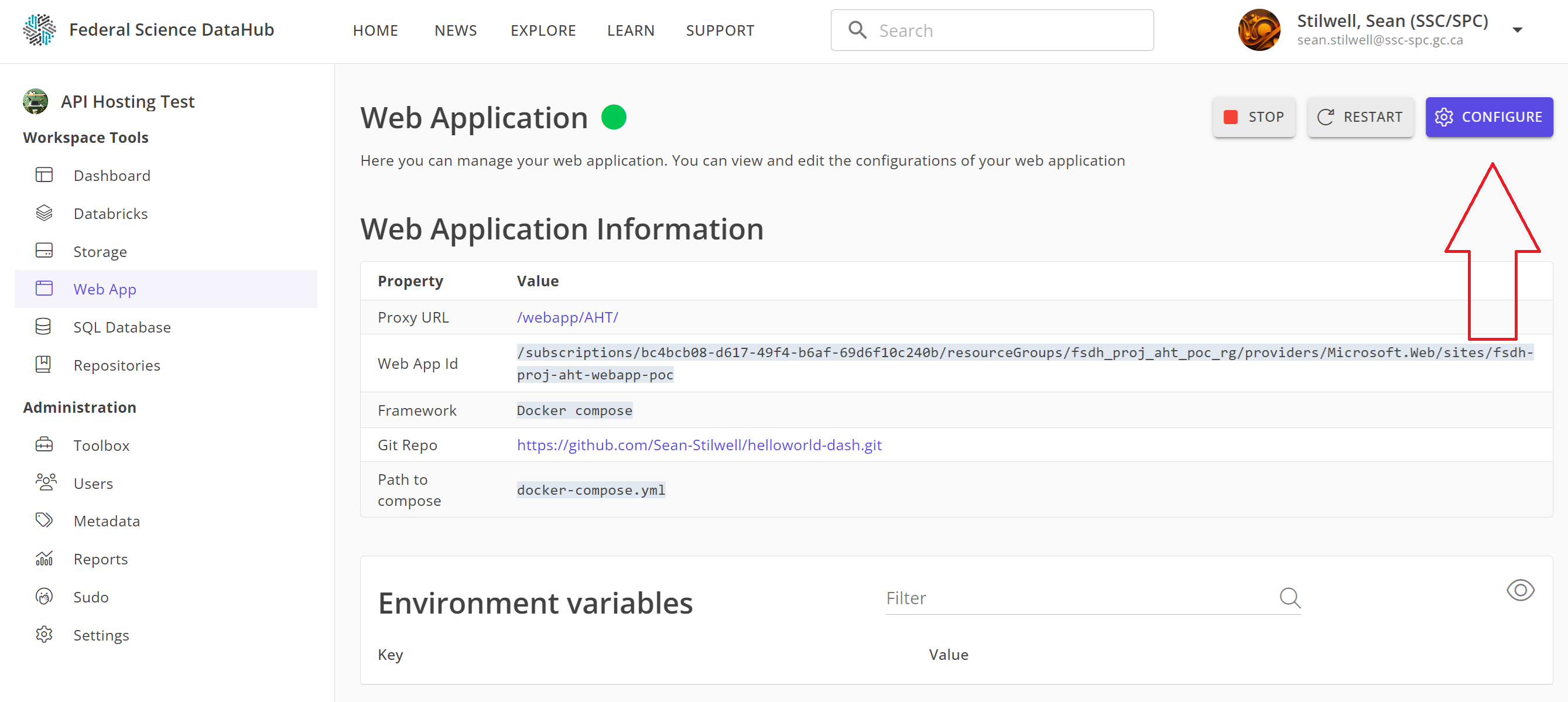
To deploy your application on the DataHub, you will need to configure the App Service in your workspace. You can do this by navigating to the App Service in your workspace and clicking Configure.
In the configuration screen, you will need to provide the following information:
- Repository URL: The URL of the Git repository for your application.
- Repository Privacy: Whether the repository is public or private.
- Path: The path to the
docker-compose.ymlfile in your repository. - (if private) Token: A token to access the repository.
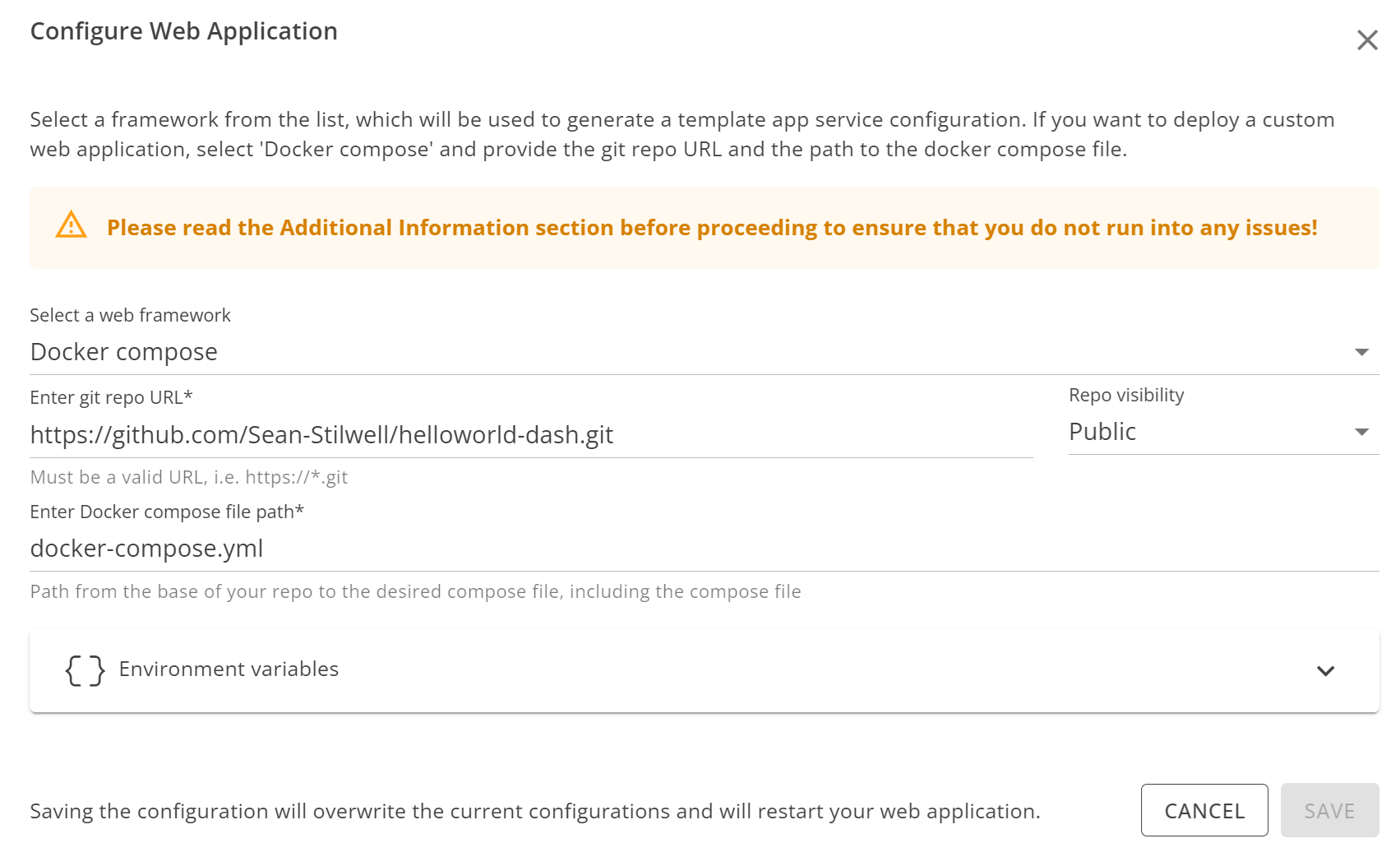
After providing this information, click Save to deploy your application on the DataHub.
Accessing Your Application
Once your application is deployed on the DataHub, you can start the service to access your web application. You can do this by navigating to the App Service in your workspace and clicking Start.
Once the service is started, you can access your web application by clicking the Proxy URL link in the App Service.
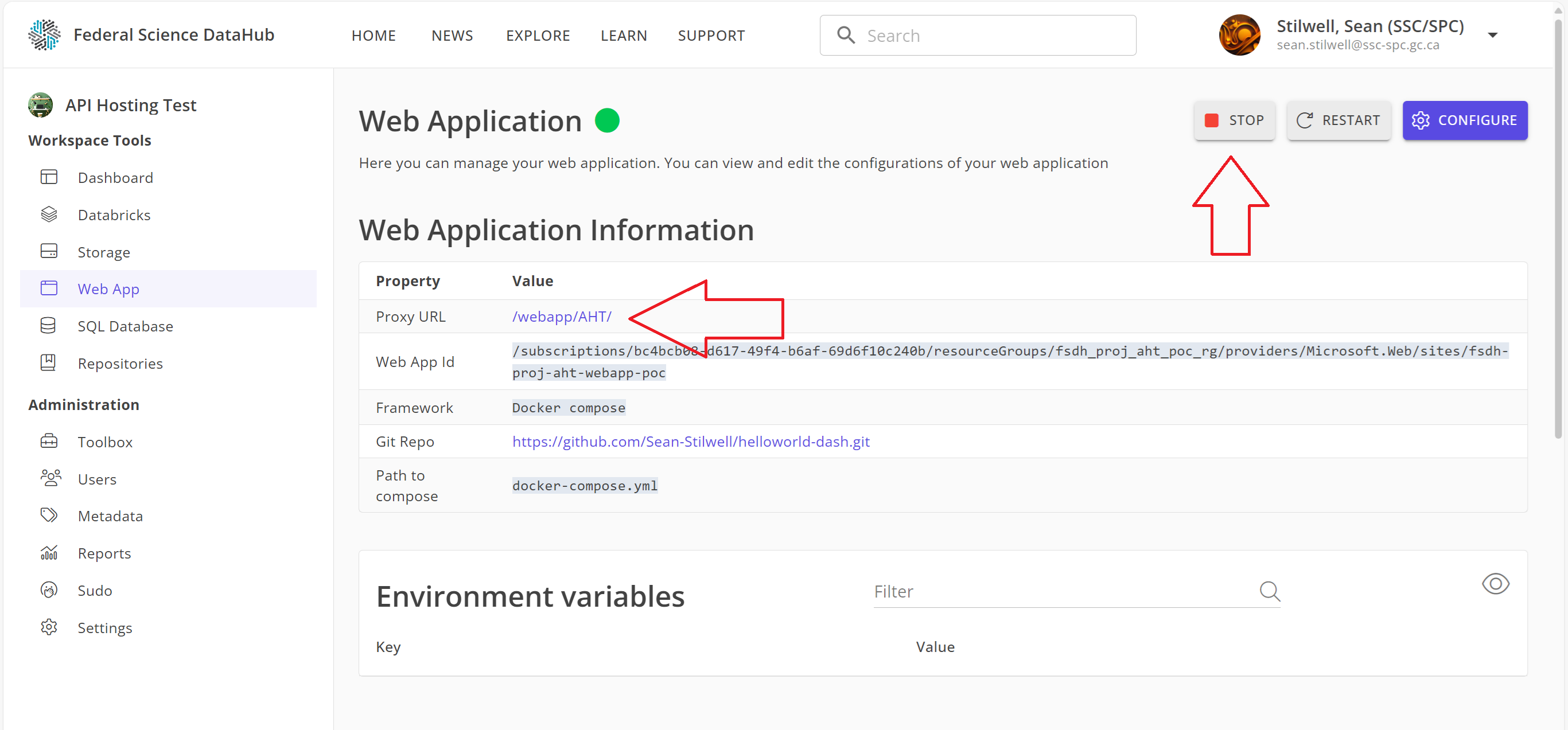
Note: After starting the service, it may take a few minutes for the application to be accessible via the proxy URL. If you encounter any issues, please reach out to the DataHub support team for assistance.
Getting Support
If you are unfamiliar with Docker Compose or need help deploying your web application on the DataHub, please reach out to the DataHub support team for assistance. We are here to help you get started with hosting web applications on the platform.