Create and use a PostgreSQL Database
The Federal Science DataHub provides the ability to provision a PostgreSQL database for your workspace. This guide will walk you through the process of creating a PostgreSQL database and using it in code.
How to provision a PostgreSQL Database
- Navigate to the workspace you want to create a PostgreSQL database in.
- Navigate to the
Toolboxtab under theAdministrationcategory.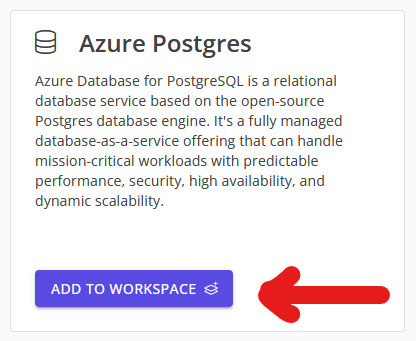
- Within a few minutes, the database will be provisioned and you will see it in the
Toolboxtab. If the database does not provision, please fill out a support request.
How to use your PostgreSQL Database
- Navigate to the workspace you want to use the PostgreSQL database in.
- Navigate to the
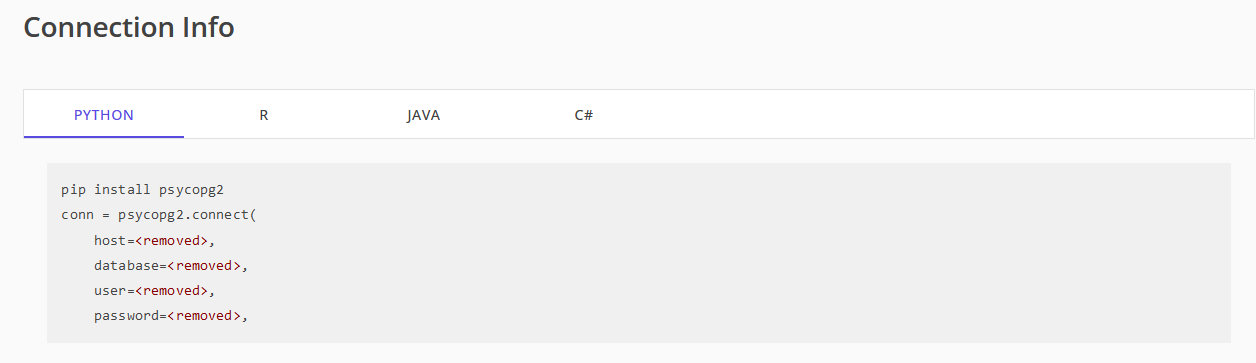
SQL Databasetab under theWorkspace Toolscategory. This page provides you with the needed information to connect to your database. - Before trying to use the database, you must add your IP address to the firewall rules.
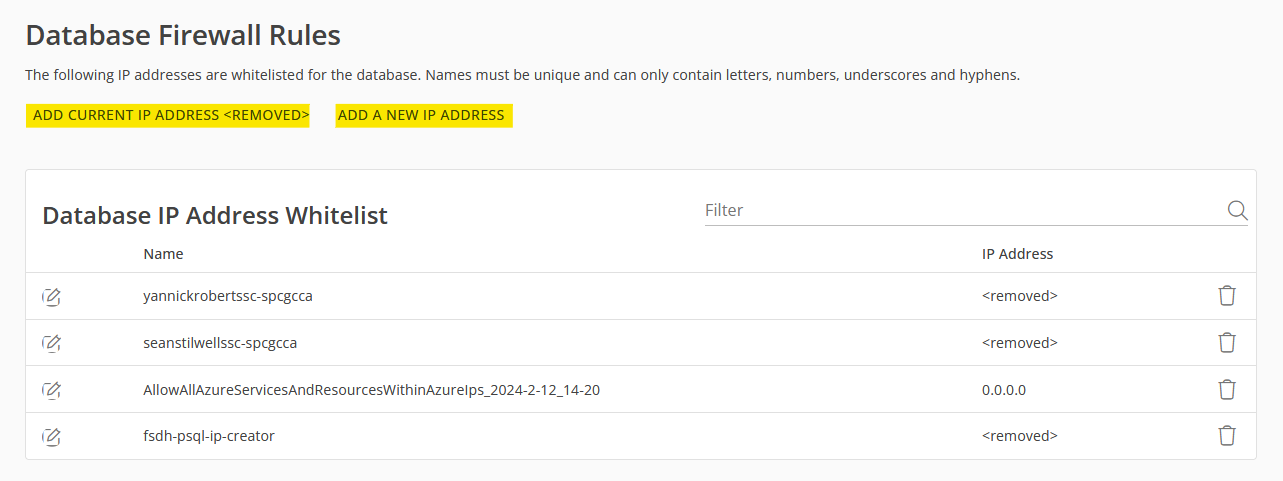
- Navigate to the bottom of the page and click
Add Current IP Addressto add your local IP address to the firewall rules. - If you switch networks or toggle your VPN, you will need to add your new IP address to the firewall rules.
- To give Databricks access to the database, you will need to add the address
0.0.0.0to the firewall rules. - NOTE: Changes can take up to 15 minutes to apply.
- Navigate to the bottom of the page and click
- After adding your IP address to the firewall rules, you can use the connection info provided for Databricks, Python, R, Java, and C#.