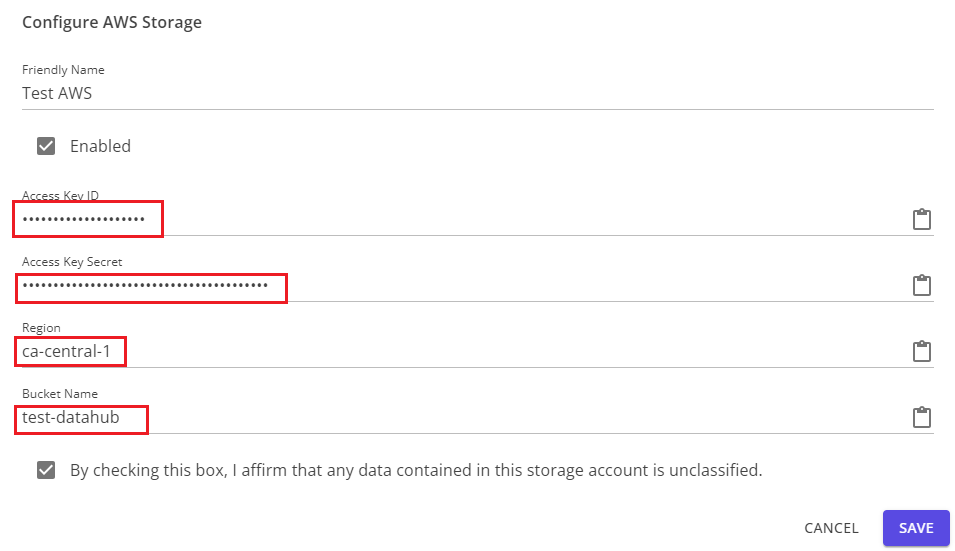
Importing an Existing AWS S3 Bucket
To import an AWS S3 bucket, you will need to create a user with the appropriate permissions on the bucket, and generate an access key for that user.
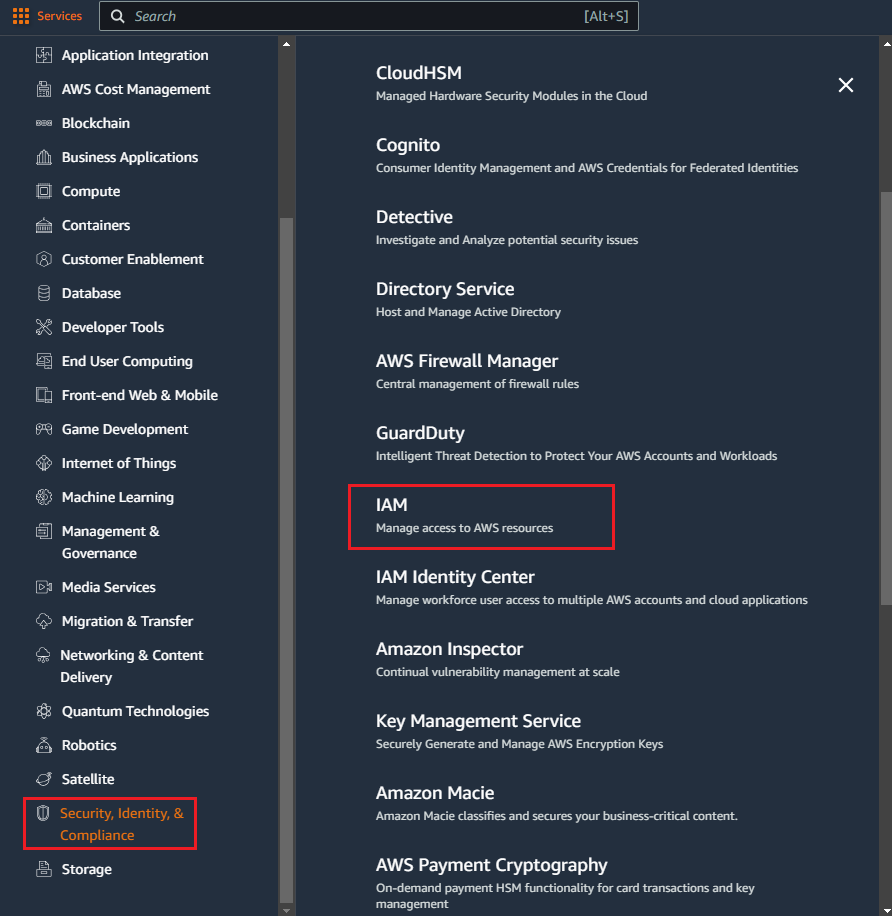
Using the Services menu in the AWS console, navigate to Security, Identity & Compliance, and IAM under that section.
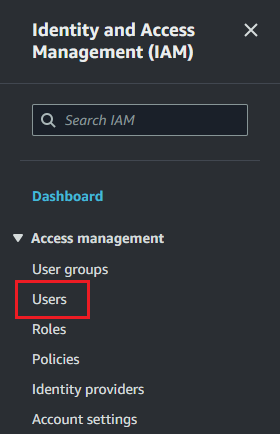
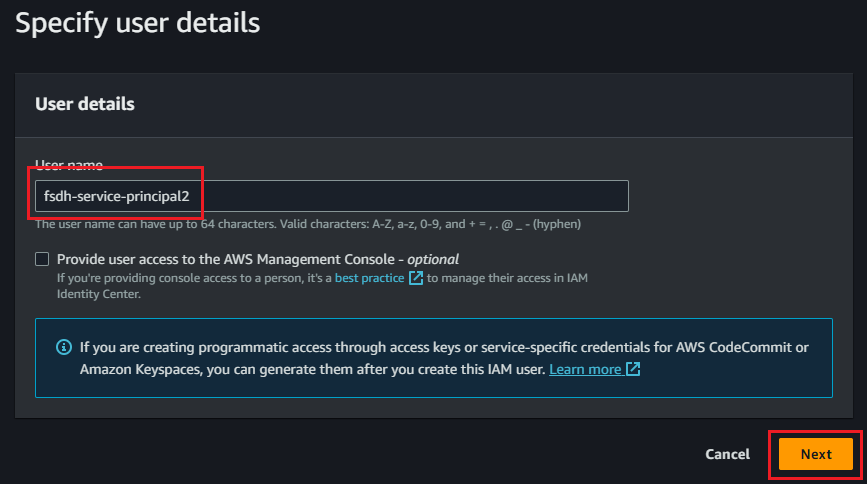
In the Users section, create a new user.

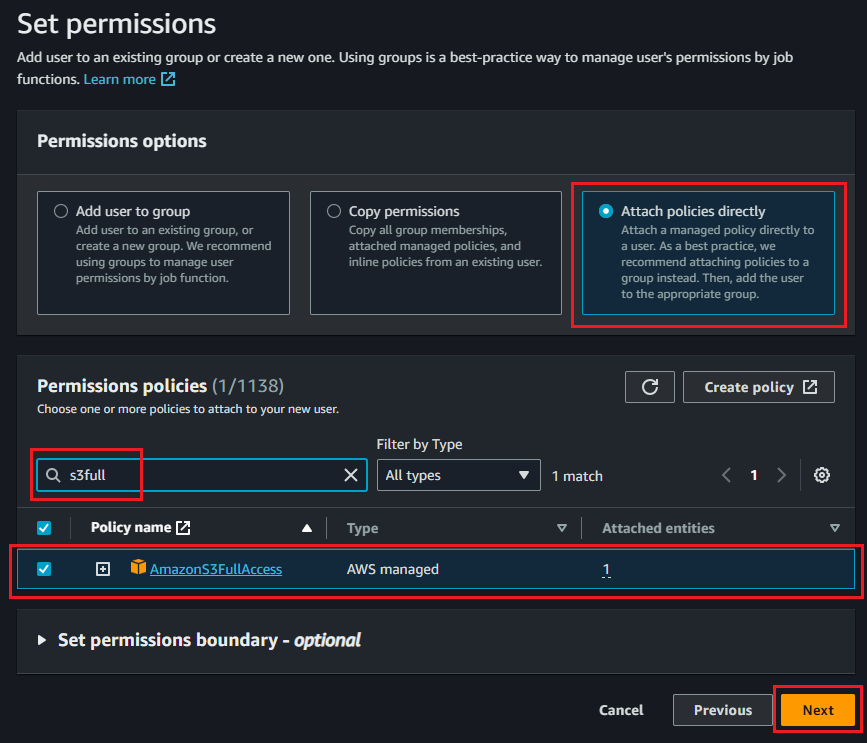
In the Set permissions step of user creation, assign an appropriate policy to the user. AmazonS3FullAccess will give full rights to the user, but a more restrictive policy such as the example below may be more appropriate for your organization.
{
    "Version": "2012-10-17",
    "Statement": [
        {
            "Effect": "Allow",
            "Principal": "*",
            "Action": [
                "s3:GetObject",
                "s3:PutObject",
                "s3:DeleteObject",
                "s3:ListBucket"
            ],
            "Resource": [
                "arn:aws:s3:::<your-bucket-name>/*",
                "arn:aws:s3:::<your-bucket-name>"
            ]
        }
    ]
}
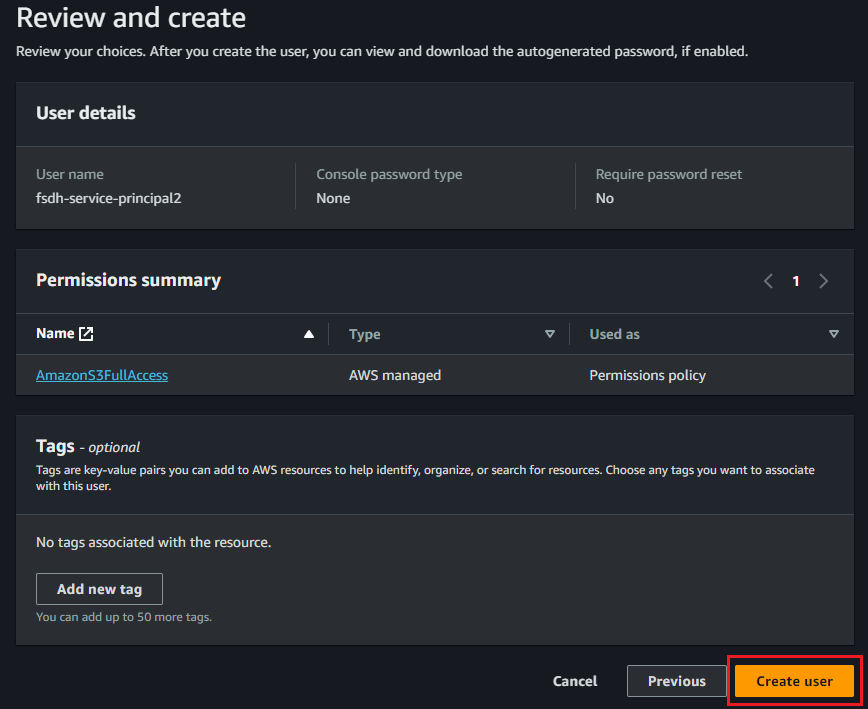
After reviewing the information, click Create user to complete this step.
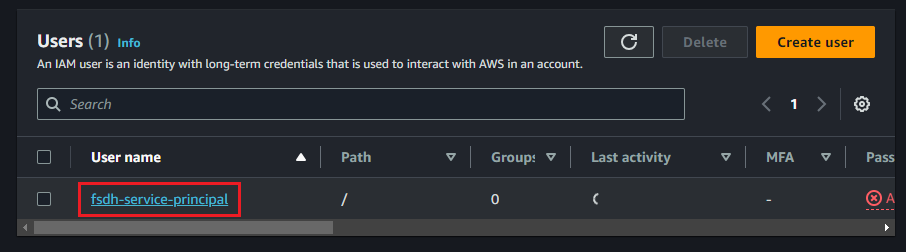
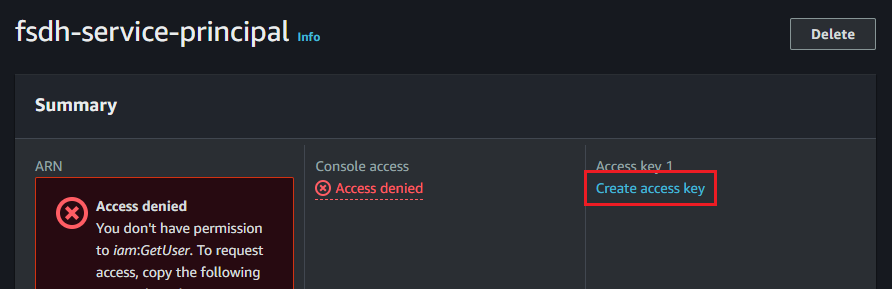
Once the user is created, find it in the Users list and click on the username. In the Summary section, under Access key 1, click Create access key
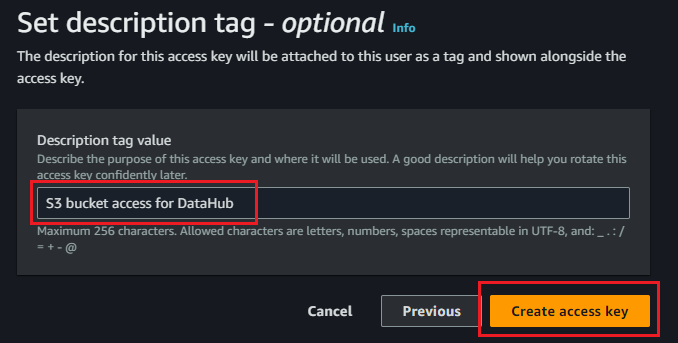
Select Other as the use case. Optionally, set a description for the key to easily identify it, and click Create access key

Once the key is created, make sure to copy the Access key and Secret access key. You will not be able to retrieve the secret key after exiting from this screen and will have to create a new one if you lose it.
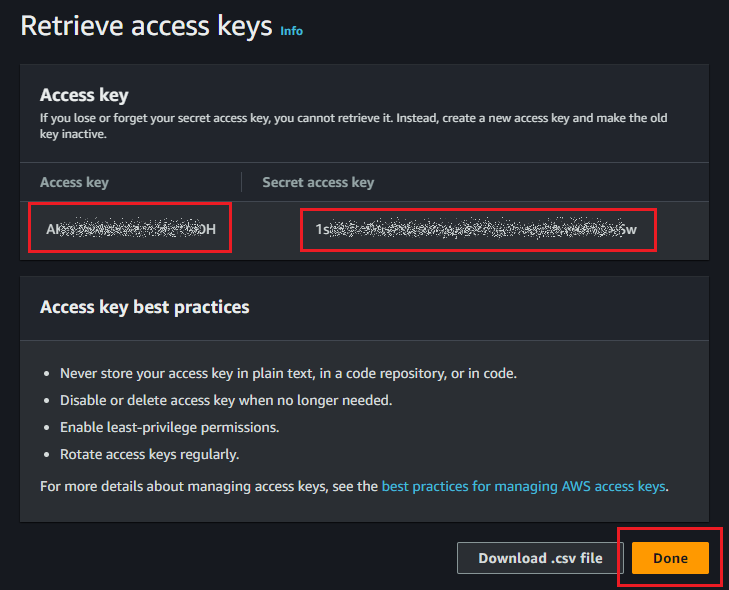
You can now enter this information, along with the bucket name and region, into the configuration dialog in Datahub.