Federal Science DataHubFederal Science DataHub
  • English
  • Français
  • English
  • Français
  • Overview
  • Managing Workspaces and Users

    • Getting a workspace (only available on the GC network)
    • Estimate costs (only available on the GC network)
    • Account Setup
    • Requesting, configuring and removing tools in your workspace
    • Invite a user
    • Change a user role
    • Manage your CBR & workspace budgets
  • Storage

    • Working with Azure Storage
    • Bring Your Own Storage

      • Import AWS S3 Bucket
      • Import Azure Storage
      • Import Google Cloud Platform Storage
    • Access Storage in Databricks
    • Use AzCopy to Interact with Storage
  • Databricks

    • Getting Started with Databricks
    • FSDH Cluster Policies
    • MLFlow: AutoML and Experiments
    • Databricks Workflows
    • Dashboarding

      • How to Dashboard in Databricks
      • Dashboarding Tool Comparison
    • External Extensions

      • Git/GitHub Integration with Databricks
      • Databricks VS Code Extension
      • Working with Conda
      • Connecting Google API to Databricks
  • PostgreSQL

    • Create and use a PostgreSQL Database
    • Add a User to PostgreSQL on FSDH
    • PostgreSQL vs Azure Databricks Database Features
  • Web Applications

    • Hosting Web Apps on DataHub
  • Migrating to Production

    • Migrating Storage
    • Migrating Databricks
    • Migrating PostgreSQL
    • Migrating Web Apps
  • User Guidance

    • Account Management and Access control of workspaces
    • Backup and Recovery
    • Github and code repo management
    • Incident Detection & Response
    • Monitor Usage
    • Monitoring and Auditing a Workspace
    • Source code
    • Restricted File Types on FSDH Storage
  • Terms and Conditions

Import AWS S3 Bucket

To import an AWS S3 bucket, you will need to create a user with the appropriate permissions on the bucket, and generate an access key for that user.

  1. Using the Services menu in the AWS console, navigate to Security, Identity & Compliance, and IAM under that section.
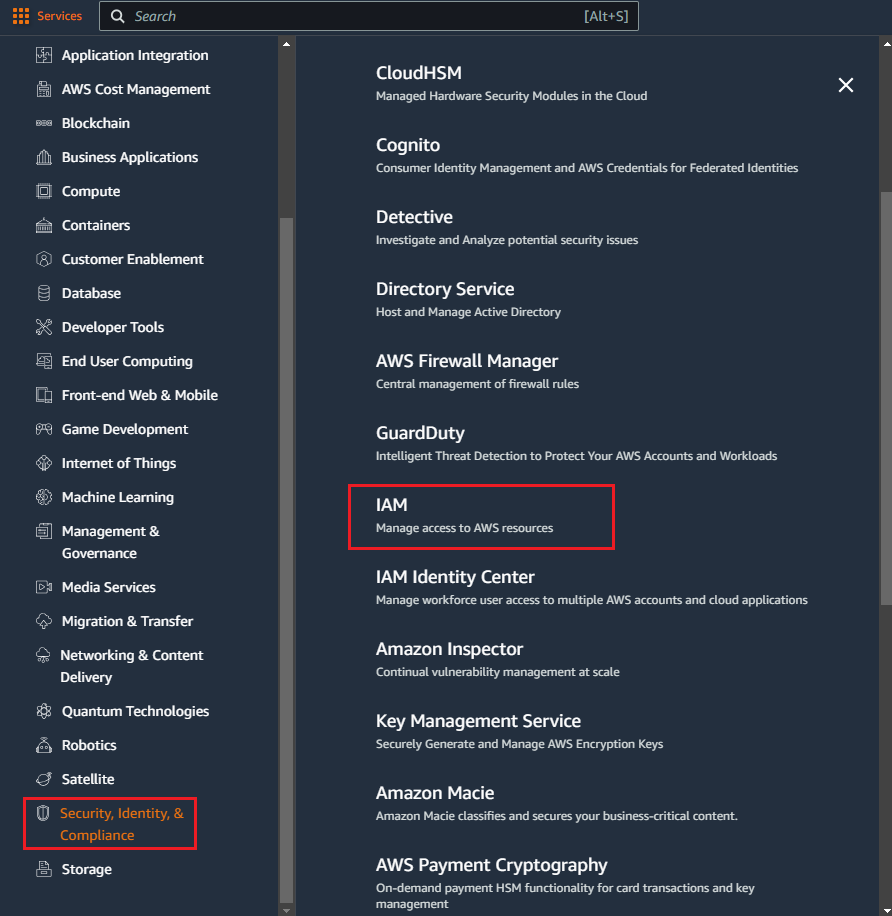
    IAM in service menu

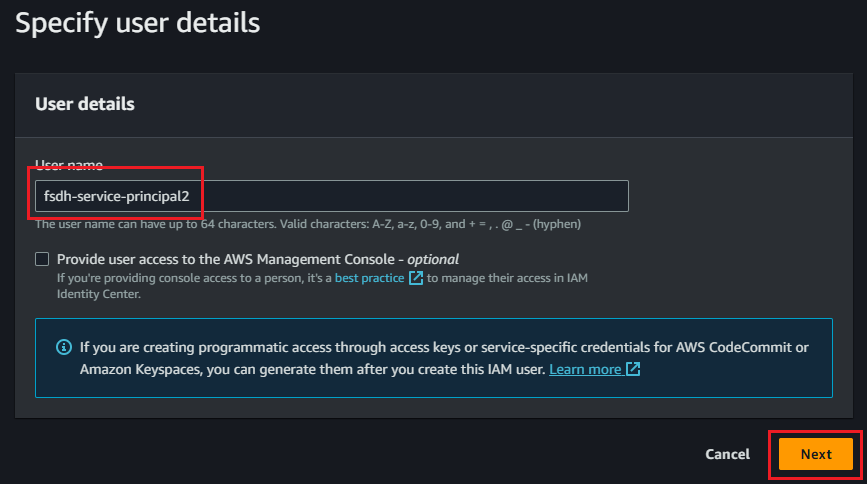
  2. In the Users section, create a new user.
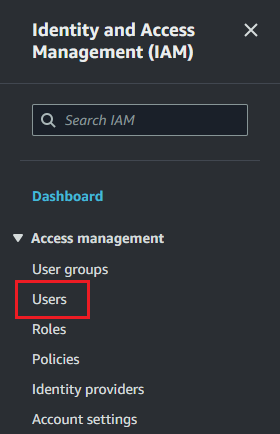
    Users sectionCreate userAssign user name

  3. In the Set permissions step of user creation, assign an appropriate policy to the user. AmazonS3FullAccess will give full rights to the user, but a more restrictive policy such as the example below may be more appropriate for your organization.
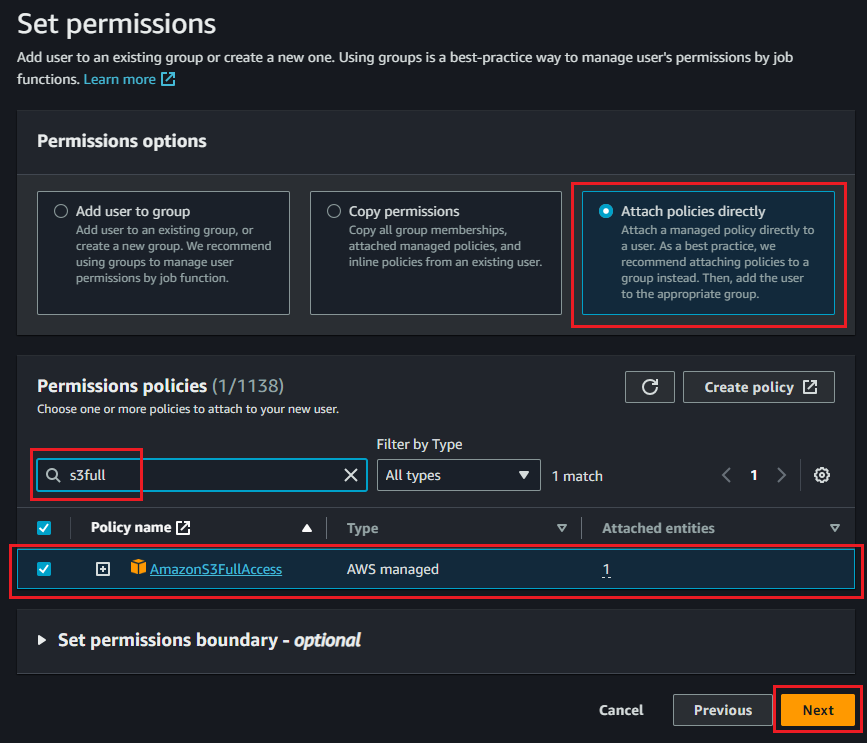
    Assign policy

{
    "Version": "2012-10-17",
    "Statement": [
        {
            "Effect": "Allow",
            "Principal": "*",
            "Action": [
                "s3:GetObject",
                "s3:PutObject",
                "s3:DeleteObject",
                "s3:ListBucket"
            ],
            "Resource": [
                "arn:aws:s3:::<your-bucket-name>/*",
                "arn:aws:s3:::<your-bucket-name>"
            ]
        }
    ]
}

After reviewing the information, click Create user to complete this step.
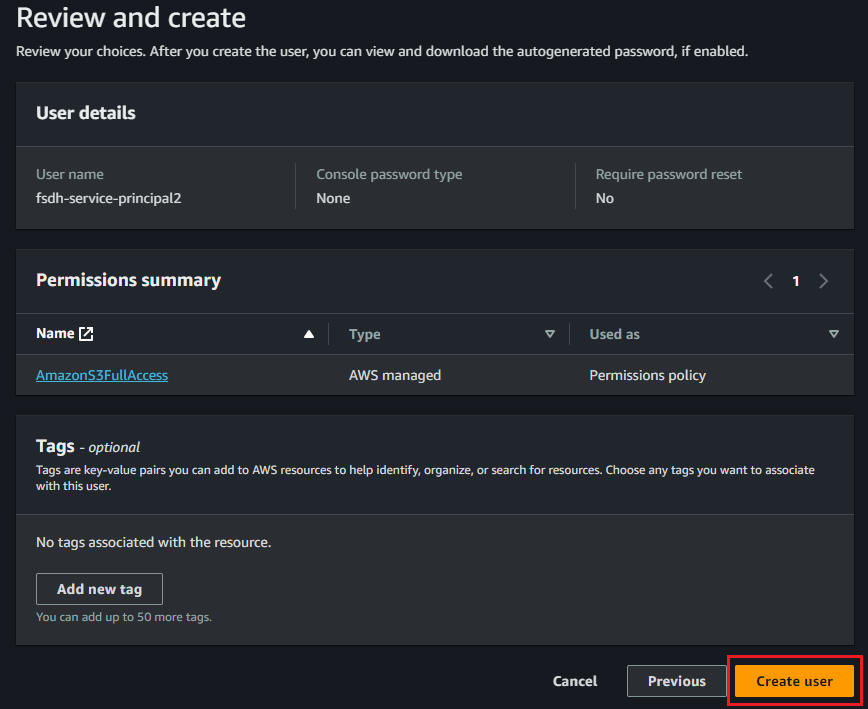
Review and create

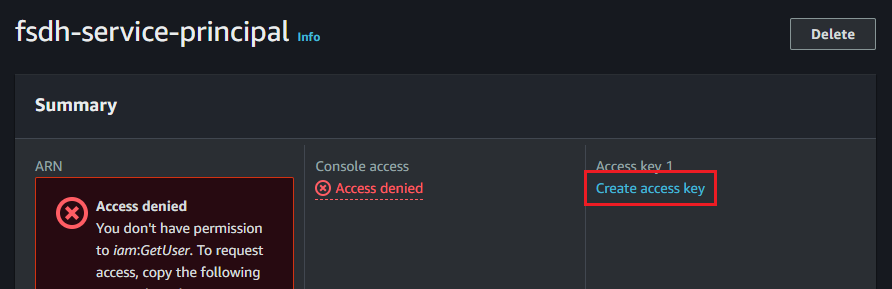
  1. Once the user is created, find it in the Users list and click on the username. In the Summary section, under Access key 1, click Create access key
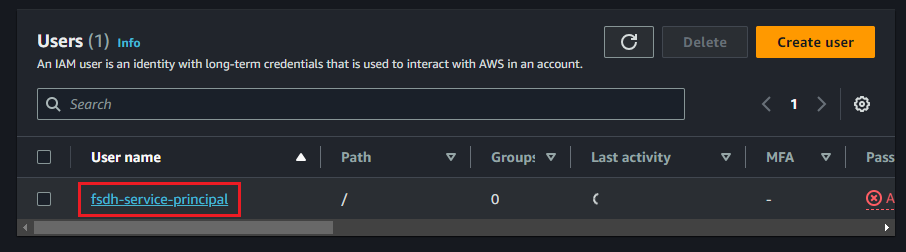
    Find user in listCreate access key

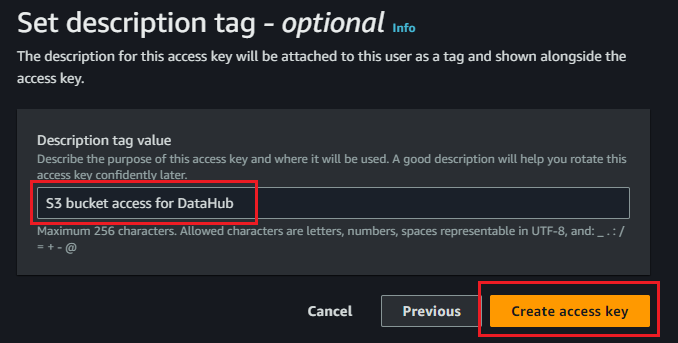
  2. Select Other as the use case. Optionally, set a description for the key to easily identify it, and click Create access key
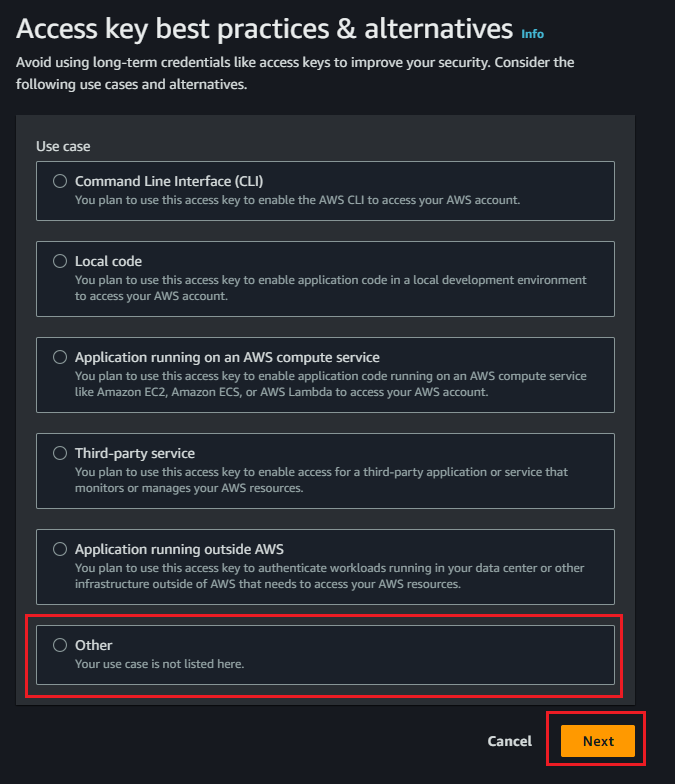
    Access key use caseKey description

  3. Once the key is created, make sure to copy the Access key and Secret access key. You will not be able to retrieve the secret key after exiting from this screen and will have to create a new one if you lose it.
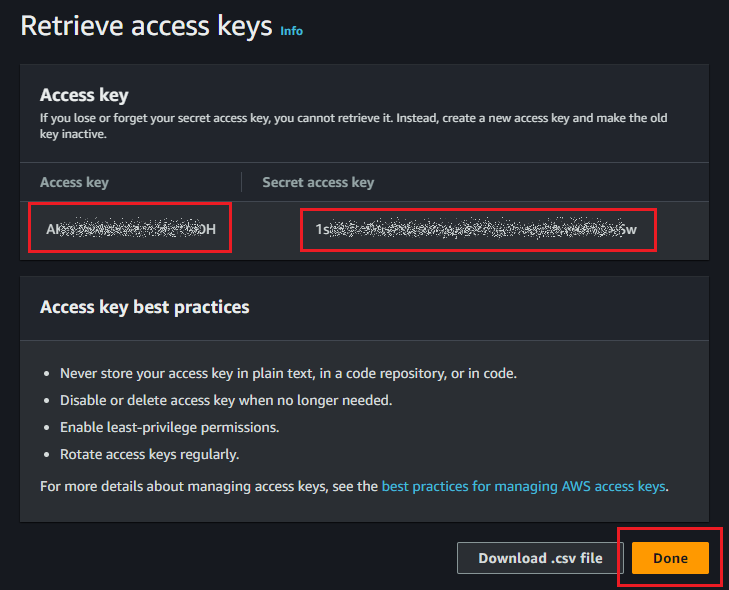
    Access key

You can now enter this information, along with the bucket name and region, into the configuration dialog in Datahub.
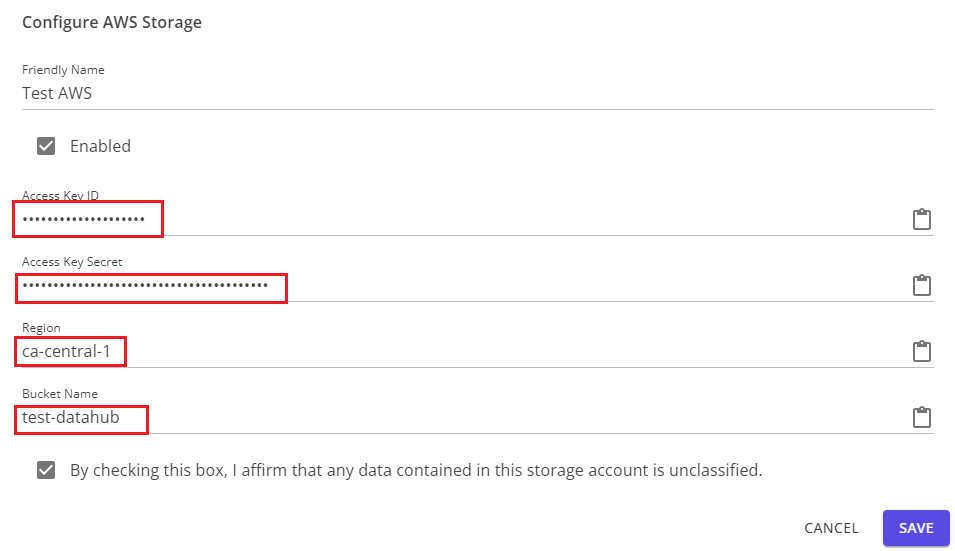
AWS configuration dialog

Edit this page on GitHub
Last Updated: 2026-04-22, 3:58 p.m.
Next
Import Azure Storage